04 / DOCUMENT AUTOMATION
Bulk work-order PDF extraction
I built a Python desktop application that reads work-order PDFs in batches and consolidates site, technology, equipment and validation data into a structured report. It replaces opening each PDF just to find and copy the same fields.
My contribution: PDF table extraction, field normalization, batch processing, and a desktop interface with CSV and Excel export. Decision it supports: reviewing many received OTs from one structured report.
Technical approach · extraction and a Python excerpt
The parser uses table positions to preserve site IDs when adjacent PDF cells are blank, with regex fallbacks for inconsistent layouts. Combined equipment configurations are split into separate columns before the batch becomes a Pandas DataFrame. A background thread keeps the desktop interface responsive during extraction.
Excerpt from the extractor’s normalization function:
def strip_all_spaces(val):
    if val is None:
        return ""
    return re.sub(r'\s+', '', str(val))

def split_config(val, expected_len):
    if not val:
        return [""] * expected_len
    parts = [strip_all_spaces(p) for p in str(val).split('/')]
    if len(parts) < expected_len:
        parts.extend([""] * (expected_len - len(parts)))
    return parts[:expected_len]
This excerpt contains no customer data. It shows how a variable-length PDF field becomes a consistent set of columns.
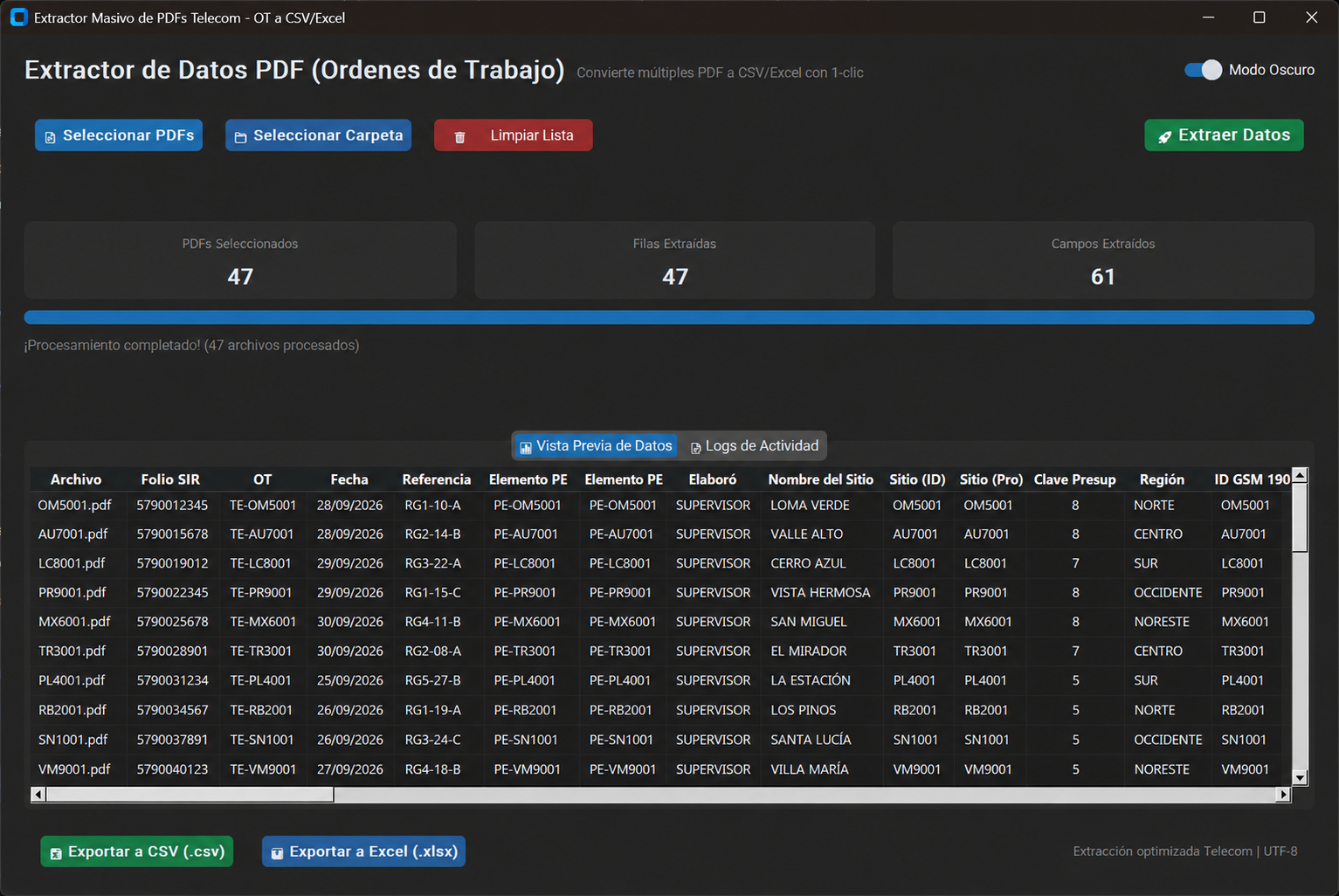
From PDF batch to usable report
| PDF file | Site | Region | OT | New radio | New BBU | Validation |
|---|
—
CSV uses UTF-8 with BOM for Excel compatibility.
This browser demo illustrates the output of the desktop application; it does not read uploaded PDFs. The full application extracts 61 fields, previews the results, logs progress and exports CSV or Excel.